Belgium - NL


onFact is a cloud-based billing software designed to streamline and efficiently manage billing processes for businesses. The software is customizable with free modules, requires no installations and is accessible from a variety of devices with automatic, free updates. Ideal for small to medium-sized businesses, OnFact offers a cost-effective solution that prioritizes security and allows businesses to focus on customer relationships and expansion.
The link between Billtobox and onFact offers several benefits to manage your accounting more efficiently. By activating this link you can forward sales invoices, credit notes and purchase documents directly from onFact to Billtobox. This eliminates the need to manually retype data, which not only saves time but also reduces the risk of errors.In addition, you can synchronize the payment status of invoices between Billtobox and onFact, so you are always aware of the payment status of your invoices. This ensures accurate financial records.Another advantage is the automatic sending of documents. Sales invoices, credit notes and purchase invoices can be automatically forwarded to Billtobox, without manual intervention. This reduces manual work and minimizes possible errors when transferring data.




Register on Billtobox if you do not already have an account.

1. Log in to your onFact environment: https://app.onfact.be/#/user/login
2. Go to 'Apps and links' via the menu at the top right (email address).
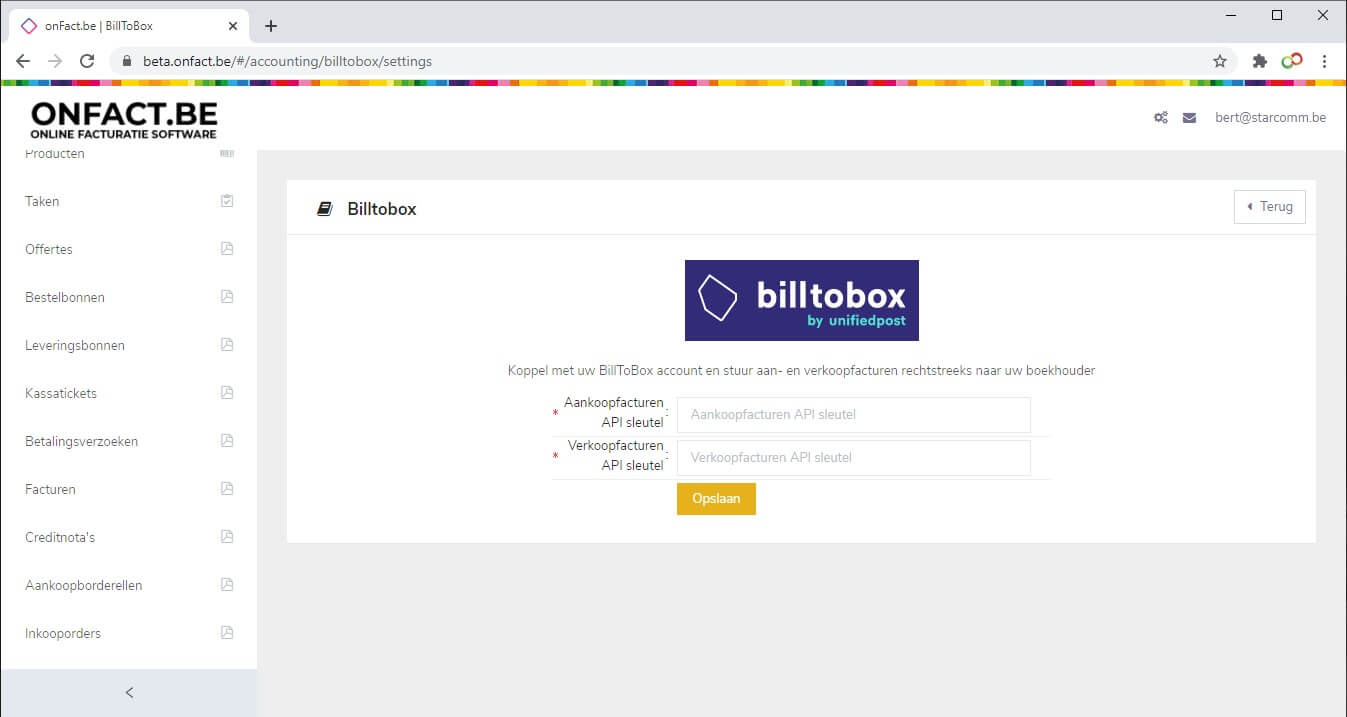
3. Under 'Apps and links related to accounting' activate the link 'Billtobox'.
4. Click on the yellow 'Configure' button next to this app.onFact will now ask for an 'API key purchase invoices' and 'API key sales invoices' to link with Billtobox.
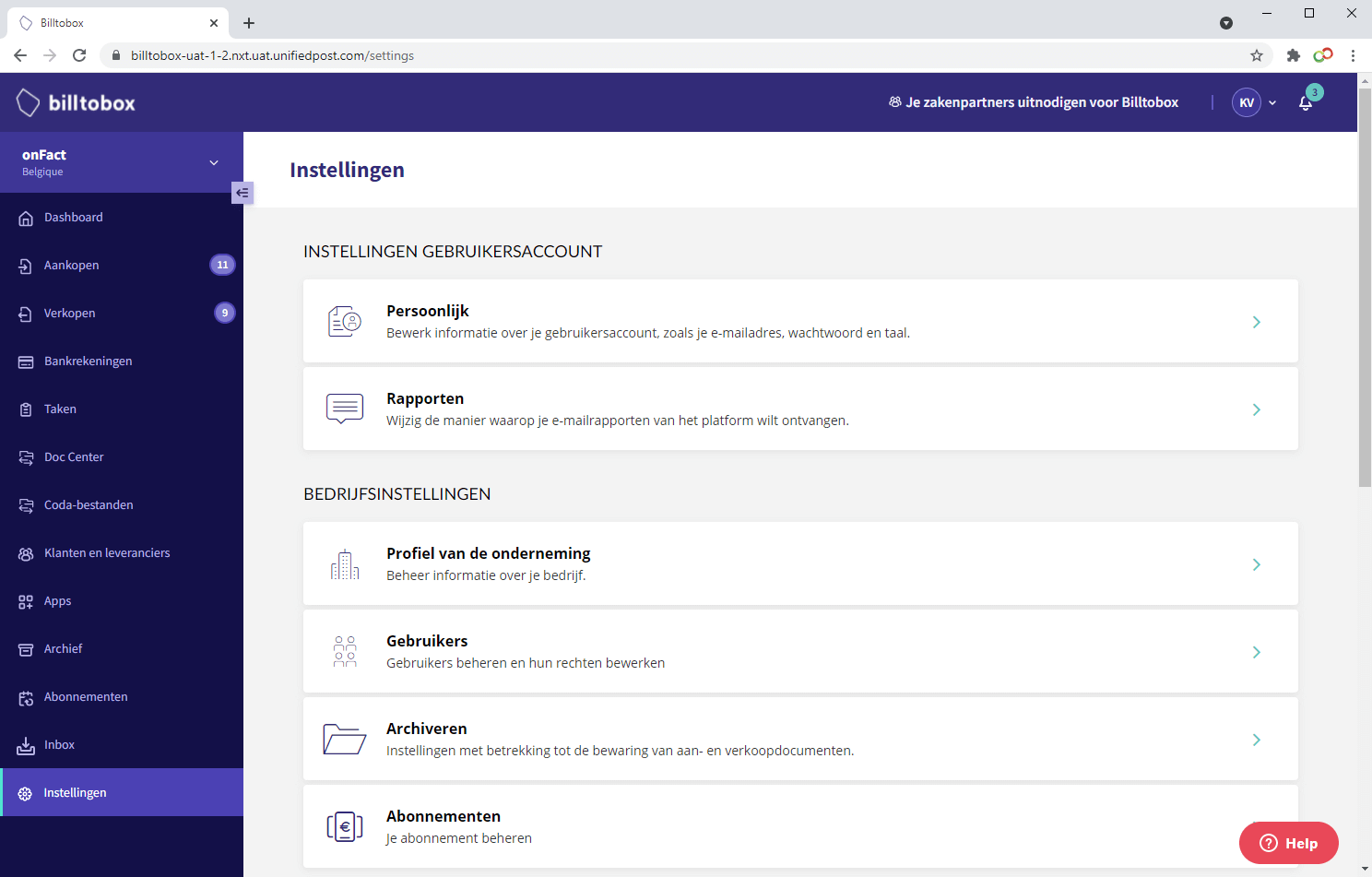
In a new tab, go to your own Billtobox environment and log in. From the left menu, choose "Settings".
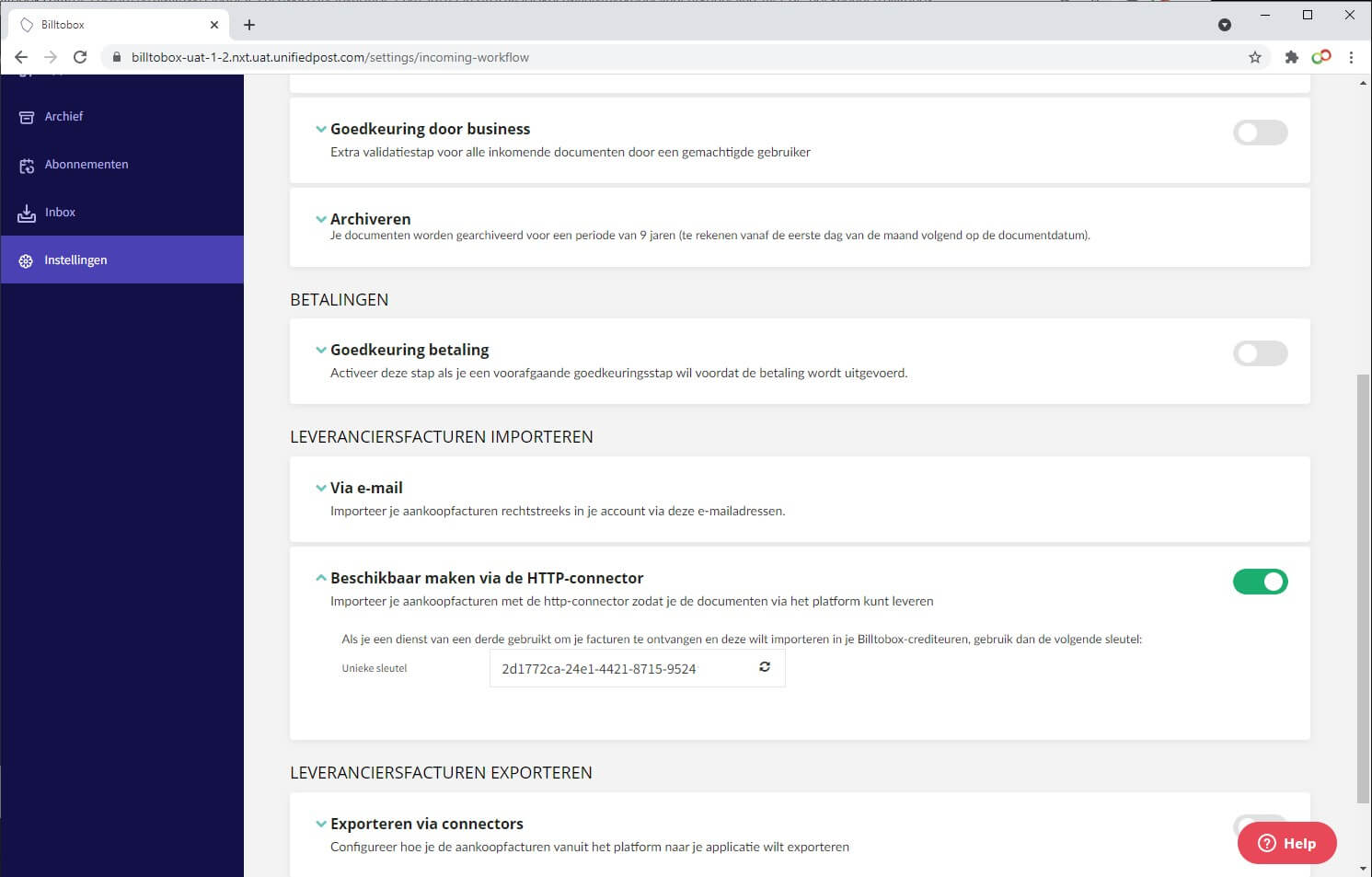
Scroll down to 'Incoming' and select 'Make available via HTTP connector'. Click on this and copy the 'Unique key'. Paste this into onFact as a value in the 'API key Purchase Invoices' field.
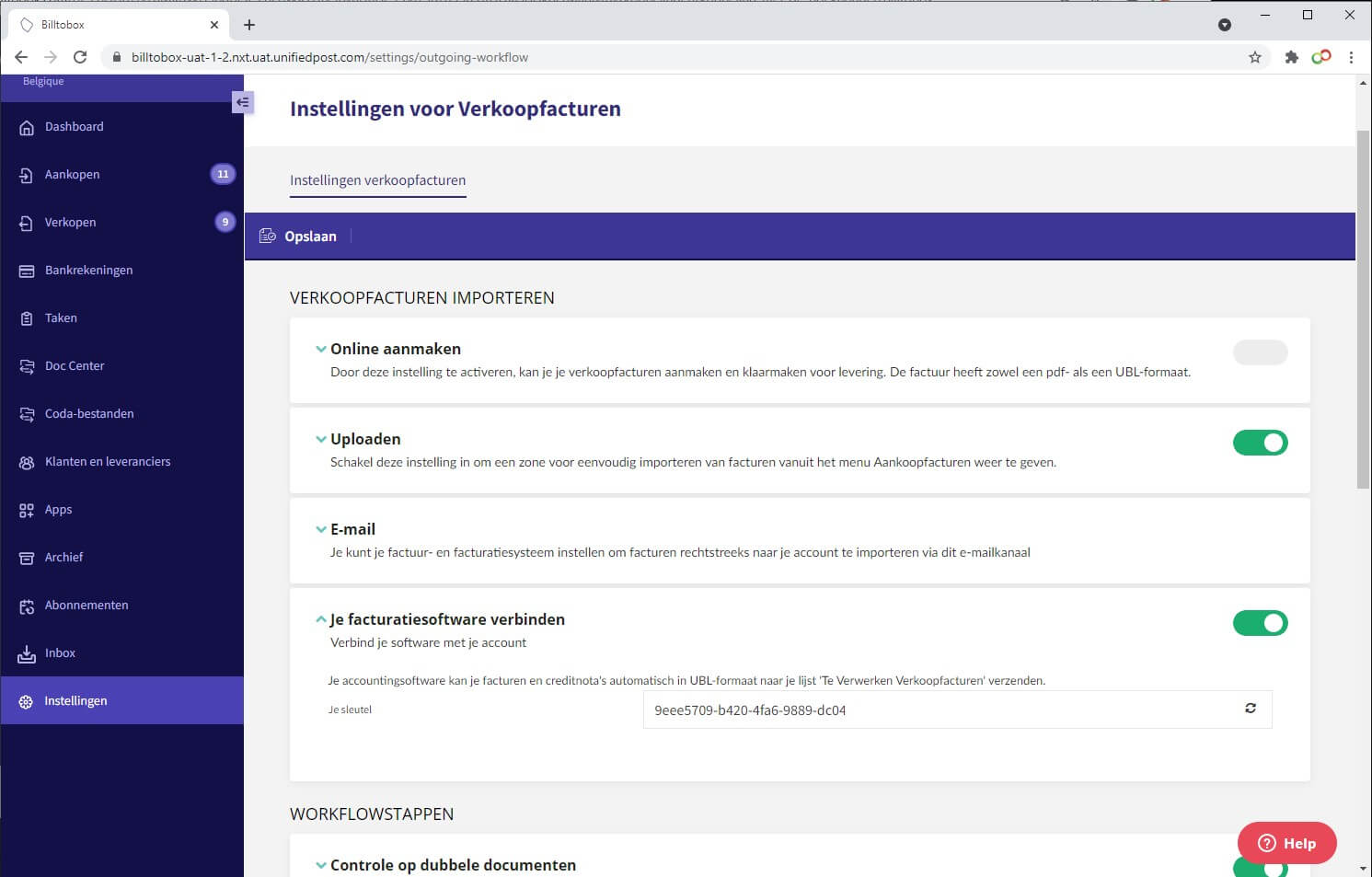
On the left side again, go to 'Settings', scroll down to 'Outgoing' and select 'Connect your billing software'. Click on this and copy 'Your key'. Paste this into onFact as a value in the 'API key Sales Invoices' field.
Now click 'Save' in onFact: the connection to Billtobox is now set up.

The most efficient way to receive, process and send invoices and payments.

Adding the Banqup paylink to your sales invoices makes it easier for your customers to pay your invoices.


The most efficient way to receive, process and send invoices and payments.


Important update for new customers:
As of June 2026, we look forward to welcoming new customers to our new, improved platform, Banqup. From that moment on, it will no longer be possible to create a new account on Billtobox.


The latest news, articles and resources weekly in your inbox.